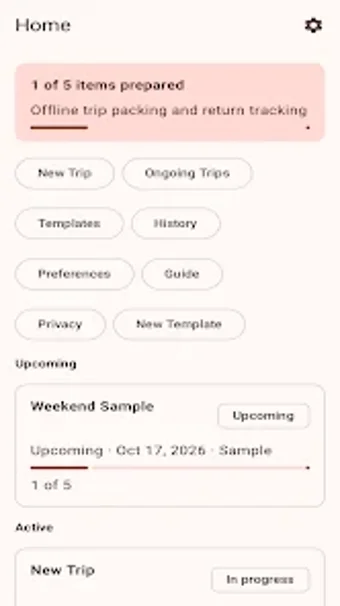
PackHarbor: offline packing planner with reusable templates and return checks
Create trip drafts, apply reusable templates, and tick items across three views: Checklist, Packing, and Return. PackHarbor, from hadikhan, is an Android travel utility focused on local data and privacy. The app stores all trip data on-device and requires no account sign-in, offering searchable item lists, undo for deletions, and categorized quantities. It fits travelers who want a minimal, offline workflow for packing and a specific return checklist to avoid leaving items behind.
It frames travel as a sequence of actions, not a calendar entry
The app defines the player’s goal as preparing and completing a trip through a linear workflow: create a trip draft with name, start date, and duration; build a list from templates or scratch; then mark items during packing and again before departure. Trip drafts and reusable templates make the cycle repeatable, and local search helps find items quickly without online lookup.
The three views shape how you manage inventory on the road
Checklist, Packing, and Return are distinct modes that change what you see and act on. The Checklist surfaces full item sets, Packing shows items marked for initial preparation, and Return filters items flagged for final re-check. Return View exists to reduce forgotten items at the trip’s end, a narrowly focused design choice that maps directly to the app’s goal.
The interface is compact and privacy-first, with predictable controls
The app uses a lightweight interface that keeps data local and requests only standard Android storage permissions, which keeps screens uncluttered and actions direct. Undo deletion and search are available for common mistakes. There is no account creation or cloud sync, so all configuration stays on the device and transfers only by manual export or backup outside the app.
Onboarding and reuse favour repeat travellers over casual planners
Templates and reusable lists reward users who repeat similar trips; building a template reduces future setup time. Some users who open the app for a one-off trip may spend more time creating a list than using a generic checklist elsewhere, while frequent travellers benefit from the template cycle and local data management.
PackHarbor suits travellers who prioritise privacy and a focused packing workflow
The app is a practical tool for people who want offline control of packing tasks and a deliberate return-check stage; its local-only design supports use in flights and remote areas. Expect a straightforward, no-account workflow that favors repeated trips and disciplined list building rather than casual, one-off packing sessions.